Most teams have more good content than they have video. The product page is written, the onboarding policy exists as a PDF, last quarter's webinar deck is in a shared folder. Turning any of them into a narrated video usually means a script, a voice-over session and an afternoon in an editor. DraftPlane does that first draft for you: give it a source, pick a style, and it produces an MP4 with a scene for each part of the story.
Four ways in
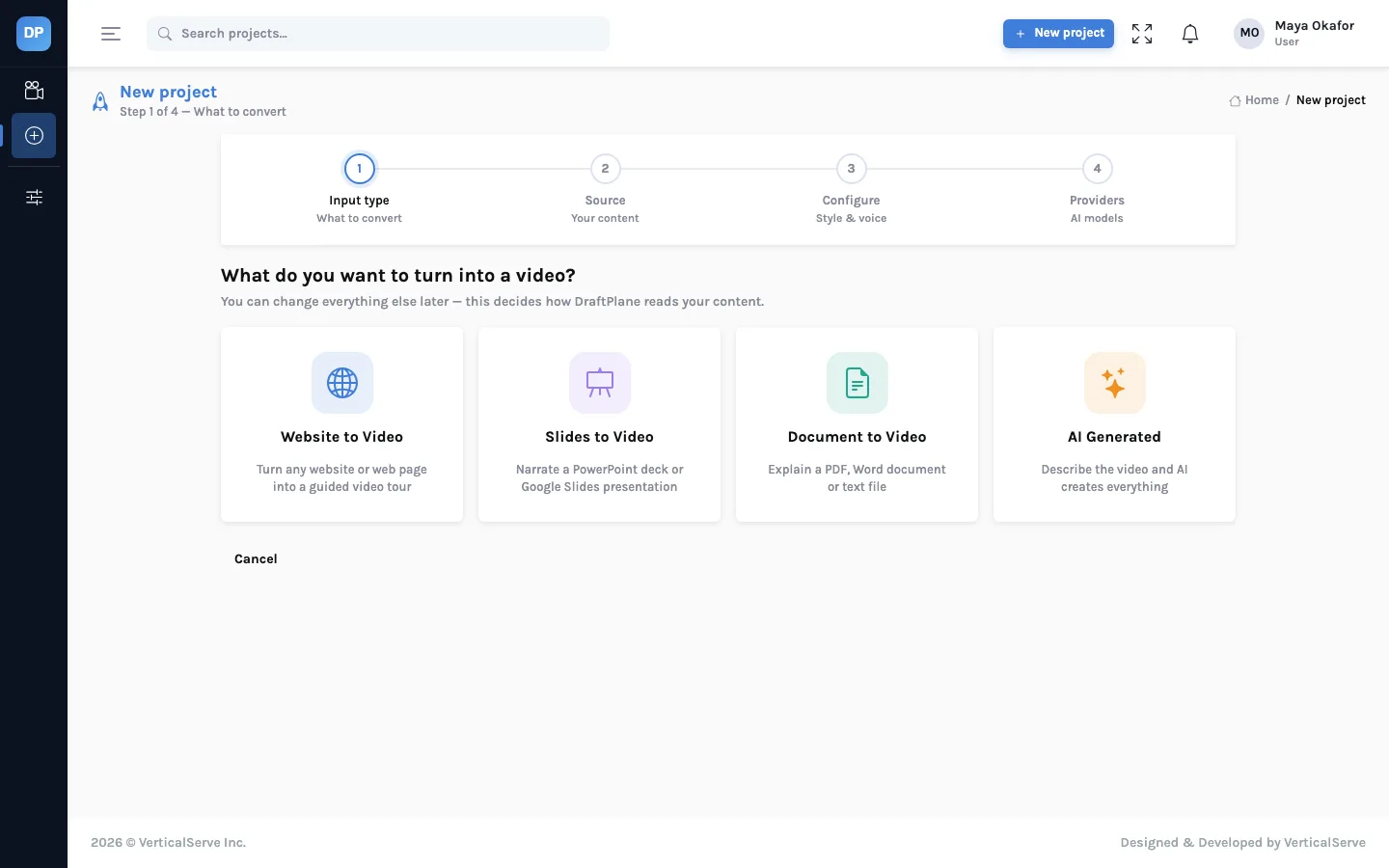
- Website to video. Enter a URL and DraftPlane reads the page's text. List specific pages, or give it a sign-in, and it visits them in a browser and uses screenshots of the real pages as the scene visuals. A worked example.
- Slides to video. Upload a PowerPoint file or link a Google Slides deck. Each slide becomes a scene, and the speaker notes feed the narration. A worked example.
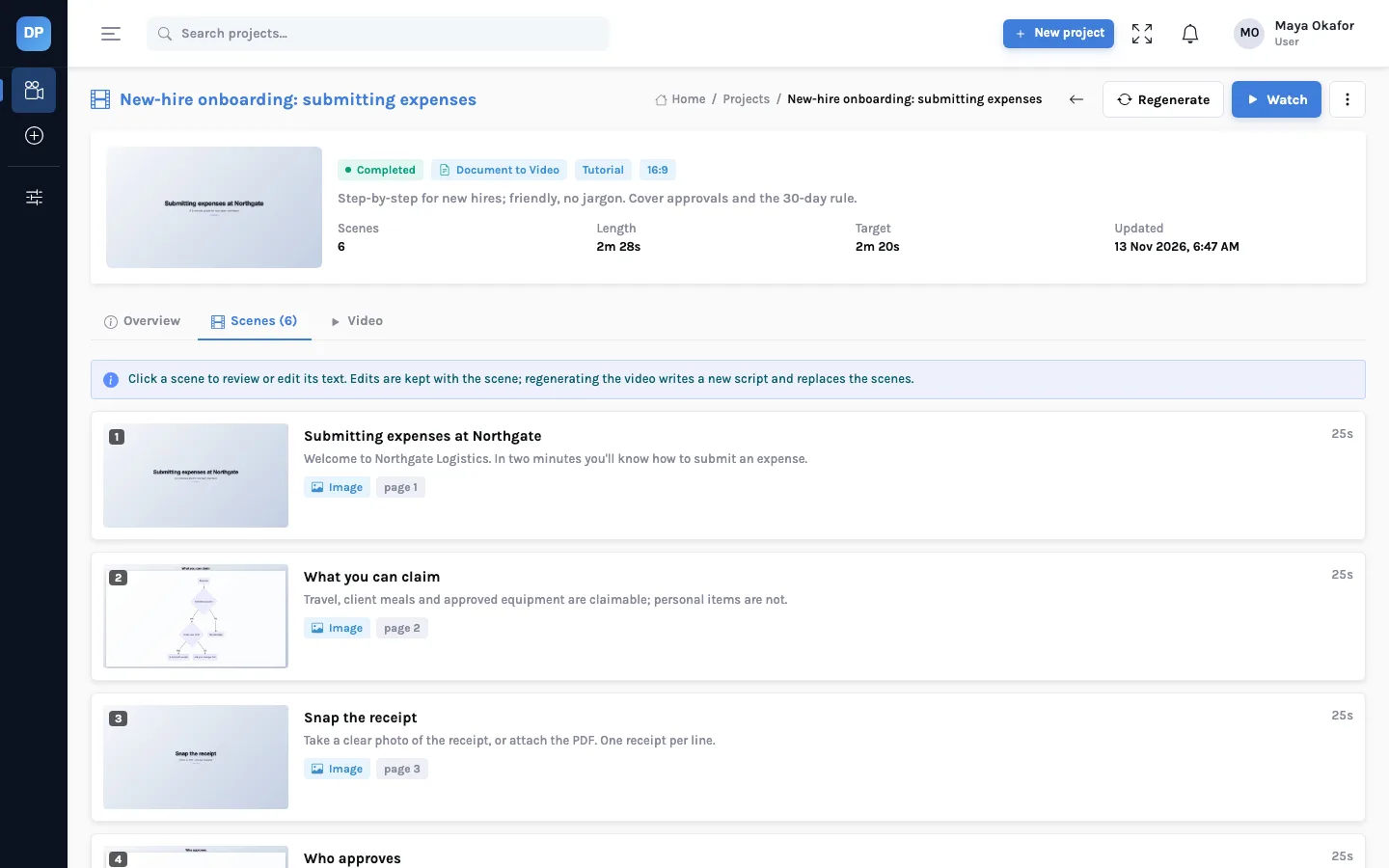
- Document to video. Upload a PDF, Word document or text file (up to 100 MB). DraftPlane splits it into logical sections, one scene each. A worked example.
- Description. Write a brief, and DraftPlane plans the scenes, writes the script and creates the visuals from scratch. How to write a good brief.
What happens next
After you create a project, a pipeline of agents works through it in order: read the source, plan the scenes, refine the script, render any diagrams, create images for scenes that don't already have one, narrate each scene, render a clip per scene, merge them with a title card, and save the result. The project page shows each step as it completes, with a live activity log. Inside the pipeline walks through every step.
You choose the models. Writing can use OpenAI, Anthropic Claude or Perplexity; images DALL·E 3, Google Imagen, Flux or Replicate-hosted models; narration ElevenLabs, OpenAI or Google Cloud text-to-speech. Defaults are set once in Settings, and each project keeps its own choices. See choosing styles and providers.
Review it scene by scene
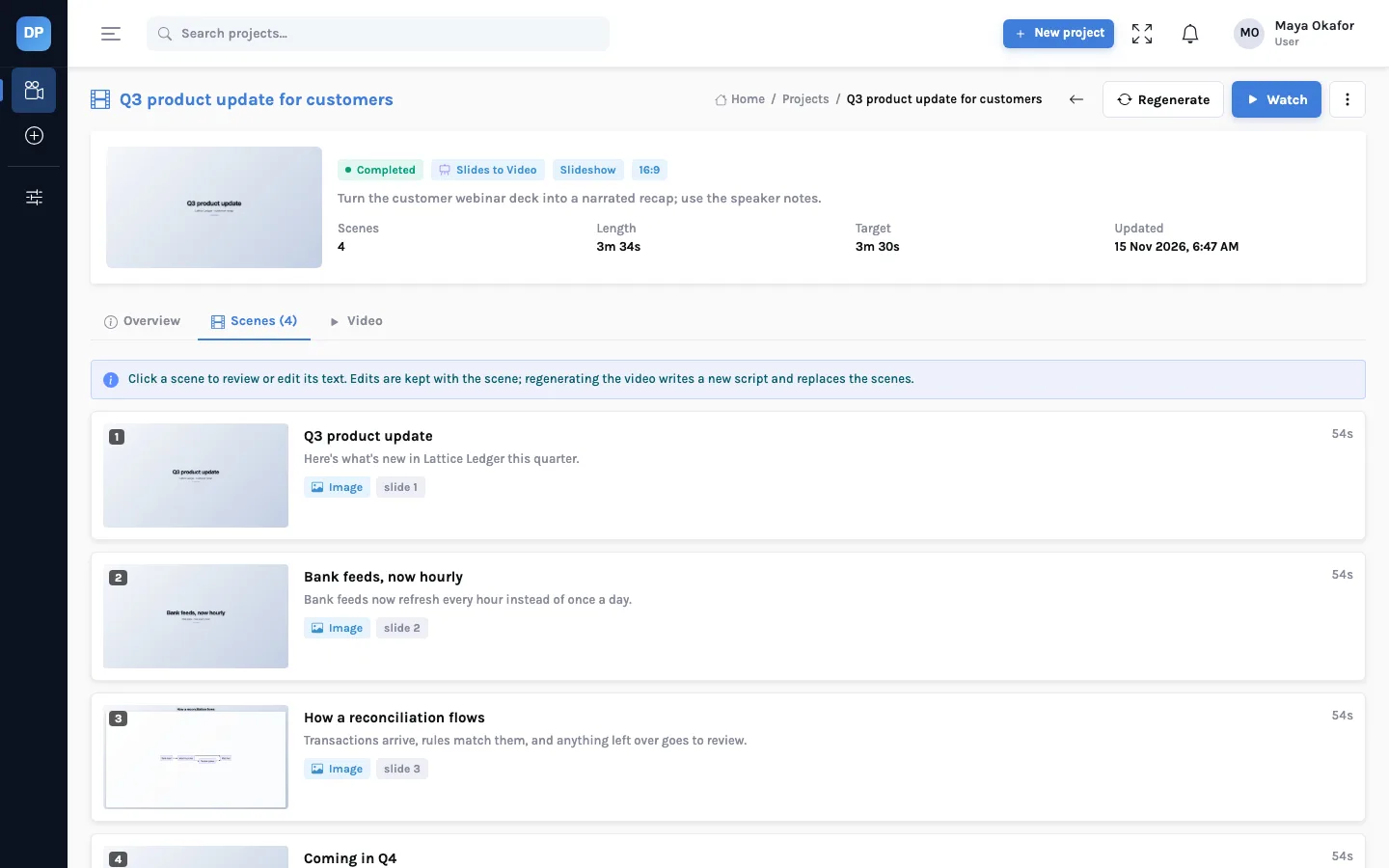
A finished project opens on an overview (source, style, length against the target, providers), a Scenes tab and a Video tab with the player and a download link. Each scene shows its picture, narration and duration, and where it came from: the slide or page number of the source.
Three videos in a week at a small company
Maya runs marketing and internal comms at a made-up outdoor-gear company. In one week she turned the new trail shoe's product page into a one-minute launch video, the expense policy PDF into a two-and-a-half-minute onboarding tutorial, and the quarterly customer webinar deck into a narrated recap. Each one started as a project in DraftPlane, was reviewed scene by scene, and was downloaded as an MP4.
Who sees what
Projects belong to the person who created them: their scenes, files and activity log go with the project, and other users can't open them. Administrators can see every project and manage users. Sign-in is email and password or Google.
A first draft, not a final cut. DraftPlane writes, draws and narrates with the AI providers you choose, and their output can be wrong or off-brand. Watch every video before you publish it, check facts and claims, and make sure you have the right to use the source material and any generated images.
What the finished file is, and isn't
It helps to know exactly what comes out before you plan around it. The video is an MP4 at 24 frames a second: a short title card (the video title the language model wrote, in white on a dark background, for three seconds), then one clip per scene in order. Each clip is that scene's picture with gentle movement (a zoom in, a zoom out or a slow pan, rotating from scene to scene) for exactly as long as its narration lasts.
Where it fits, and where it doesn't
DraftPlane is strongest when the words already exist and the job is to make them watchable: a product page, a policy, a deck. It turns a day of scripting and voice-over into a review of a draft. It's a weaker fit when the value of the video is in the pictures themselves (a product demo that needs real motion, a brand film with a set look) or when every frame needs sign-off from a designer. In those cases a DraftPlane draft is still useful as a script and a storyboard to hand to whoever makes the final cut.
Which way in?
| You have… | Start with | What ends up on screen |
|---|---|---|
| A live page you want to show | Website, with specific pages listed | Screenshots of the real pages |
| A page whose text matters more than its look | Website, URL only | Generated pictures |
| A deck with speaker notes | Slides | Your own slides |
| A policy, guide or report | Document | Generated pictures |
| Only an idea | Description | Generated pictures and diagrams |
Start with how the pipeline works, or jump to the example closest to your own content.
What you need to get started
- A source you're allowed to use: a public or signed-in web page, a PowerPoint or Google Slides deck, or a PDF, Word or text document.
- A sentence of focus: who the video is for and what it should highlight.
- A destination: where the video will be watched decides the aspect ratio and the length.
- Providers configured on your DraftPlane server for writing, images and voice, with defaults saved in Settings.
From there, the New project wizard is four steps: what to convert, the source, the style and format, and the providers. You can save a project as a draft and generate it later.
Questions people ask first
Does DraftPlane publish to YouTube on its own?
Only if a YouTube account has been connected on the server. Then each finished video is uploaded with its title and summary, as unlisted by default, and the project shows a link to it. Without a connection that step is skipped and you download the MP4.
Can I fix a video after it's made?
You can correct each scene's title, narration and picture description in the scene editor, and change the project's source, focus, style, length, voice and providers. Pictures and audio are made during generation, so a changed setting takes effect when you regenerate. Reviewing and editing scenes explains the trade-off.
Can colleagues see my projects?
Not by default. A project belongs to the person who created it; administrators can see every project and manage users.