Northgate Logistics and the expense policy
Northgate Logistics (made up) hires a few people every month, and every one of them asks how to claim expenses. The answer is a six-page PDF that most new hires never open. Maya wants a two-to-three-minute video for the onboarding checklist: what you can claim, how to submit, who approves, and the 30-day rule. The company, policy and people are fictional.
1. Upload the document
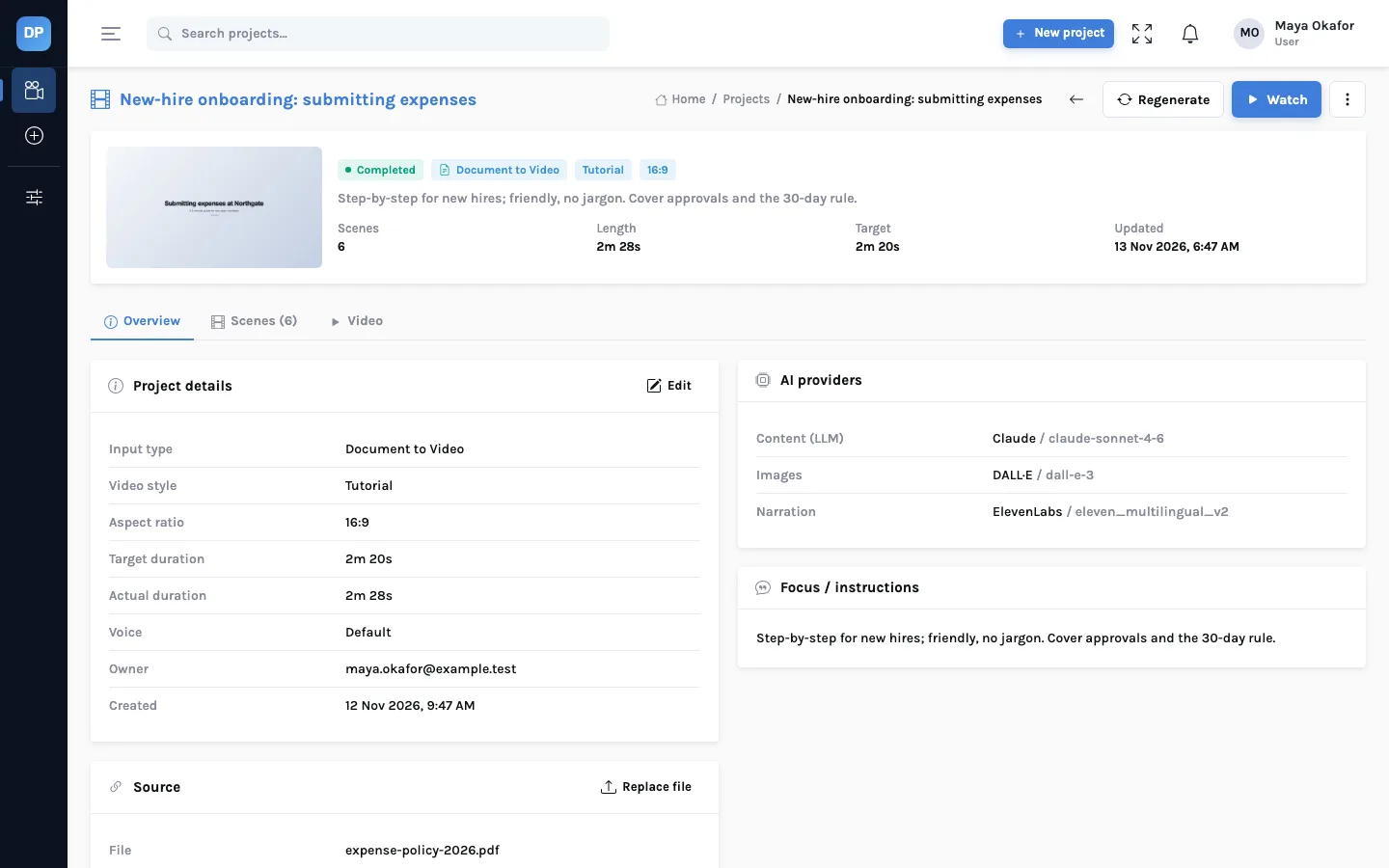
A Document to Video project takes a PDF, a Word document or a plain-text file, up to 100 MB. Maya uploads the policy PDF, writes the focus ("Step-by-step for new hires; friendly, no jargon. Cover approvals and the 30-day rule."), picks the Tutorial style, landscape, and a target of 2 minutes 20 seconds.
2. How a document becomes scenes
DraftPlane extracts the text: page by page from a PDF (marking each page), with headings kept from a Word file. The language model then breaks it into four to ten logical scenes of roughly fifteen to thirty seconds each, and writes a title, narration, a visual description and a page or section reference for each. The image model draws every document scene's picture from its visual description; the Mermaid diagram step is used by description projects, where the planner can mark a scene as a diagram. So a flow like "you submit → your manager approves → Finance checks → paid with payroll" is narrated exactly, but its picture is an illustration, and any words in it need checking. If one process has to appear as an exact, labelled diagram, make a short description project for that part and ask for a diagram in the brief.
Long documents. DraftPlane sends roughly the first 8,000 characters of a document to the language model, about three or four pages of dense text. For a long handbook, make a short PDF of just the section you want, or one video per section.
3. Review against the policy
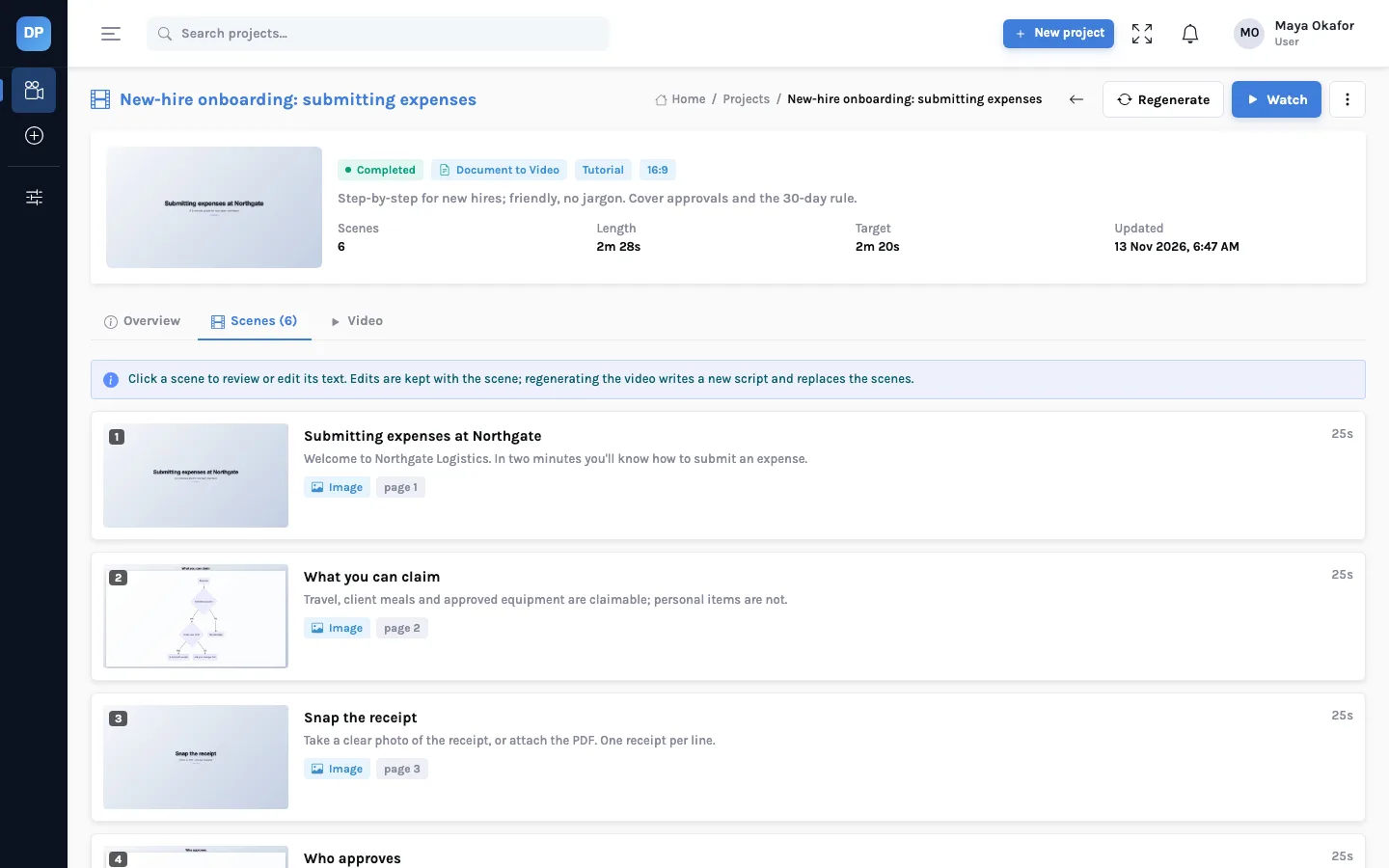
Each scene carries the page it came from, so reviewing is a side-by-side job: scene on the left, policy page on the right. For a policy video, the narration has to say what the policy says. Rules, limits, deadlines and who to contact are exactly where a friendly rewording can drift into a different rule. Maya fixes two phrases in the scene editor, then watches the video through.
4. Keep it current
Policies change. Because the project keeps its source file, focus and settings, updating the video means replacing the file on the project page and regenerating, then reviewing the new scenes the same way. It's worth noting the policy version in the video's title or closing scene so people know which one they watched.
Accuracy and accessibility. A training video doesn't replace the policy: link to the document alongside it. And a voice-only video isn't accessible to everyone; publish the script or the policy text next to it.
Preparing the file
What DraftPlane can read depends on the format, and a few minutes of preparation saves a confusing first draft:
| Format | What is read | Watch out for |
|---|---|---|
| The text layer, page by page, with page markers that become the scenes' references | A scanned PDF with no text layer gives the model nothing to read; export a text PDF from the original instead | |
| Word (.docx) | Paragraphs, with headings marked as headings | Text inside Word tables isn't read; move key rules out of tables, or upload a PDF of the document |
| Text (.txt) | The whole file as plain text | No pages or headings, so scene references are vaguer |
What Maya trimmed before uploading
The Northgate expense policy PDF opened with a revision history and a page of definitions, and ended with a legal appendix. Left in, they would have used up much of the text the model reads, and the 30-day rule on page five might have been cut off. Maya exported pages two to five as a separate PDF, kept the original as the reference document, and named the policy version in the focus line so the closing scene could mention it.
Tips for documents
- Headings help. Word documents keep their headings, which gives the model natural scene breaks.
- Trim first. Remove boilerplate (revision tables, legal footers) so the useful text fits.
- Name the audience in the focus line: "for new hires", "for warehouse leads", "for customers".
- Tutorial style keeps the narration steady and step-by-step; explainer suits a single concept.
Rolling it out
A training video is only useful if people find it at the moment they need it. A few practical steps after the video is approved:
- Put it where the question is asked: the onboarding checklist, the expenses page of the intranet, the welcome email.
- Keep the policy one click away, with the video as the friendly summary and the document as the rule.
- Note the version and date next to the video, and set a reminder to check it when the policy is next reviewed.
- Ask a new hire to watch it and tell you what was unclear. Their questions are the best edit list for the next version.
Questions HR and training teams ask
Is it safe to upload an internal policy?
The file is stored with the project, and its text is sent to the writing provider you chose; scene descriptions go to the image provider and narration to the voice provider. Whether that's acceptable depends on the document and your organisation's rules for those providers. Check before uploading anything confidential.
Can one handbook become several videos?
Yes, and it usually works better: one project per section, each with its own short PDF, focus and title. Each video stays within what the model reads, and when one section changes you regenerate only that video.
Does the video count as training on the policy?
That's a question for your own HR, compliance or legal team, and the answer differs by organisation and country. Treat the video as a friendly introduction, and keep whatever acknowledgement or sign-off your process requires.
Related: reviewing and editing scenes · turning a webinar deck into a recap.