Turn any content into a narrated video
DraftPlane's AI agents convert websites, presentations, documents and descriptions into polished MP4 videos. Choose your AI providers and style, review every scene, publish to YouTube.
- 4 input types
- 5 video styles
- 10+ AI providers
- YouTube publishing
From content to video in four steps
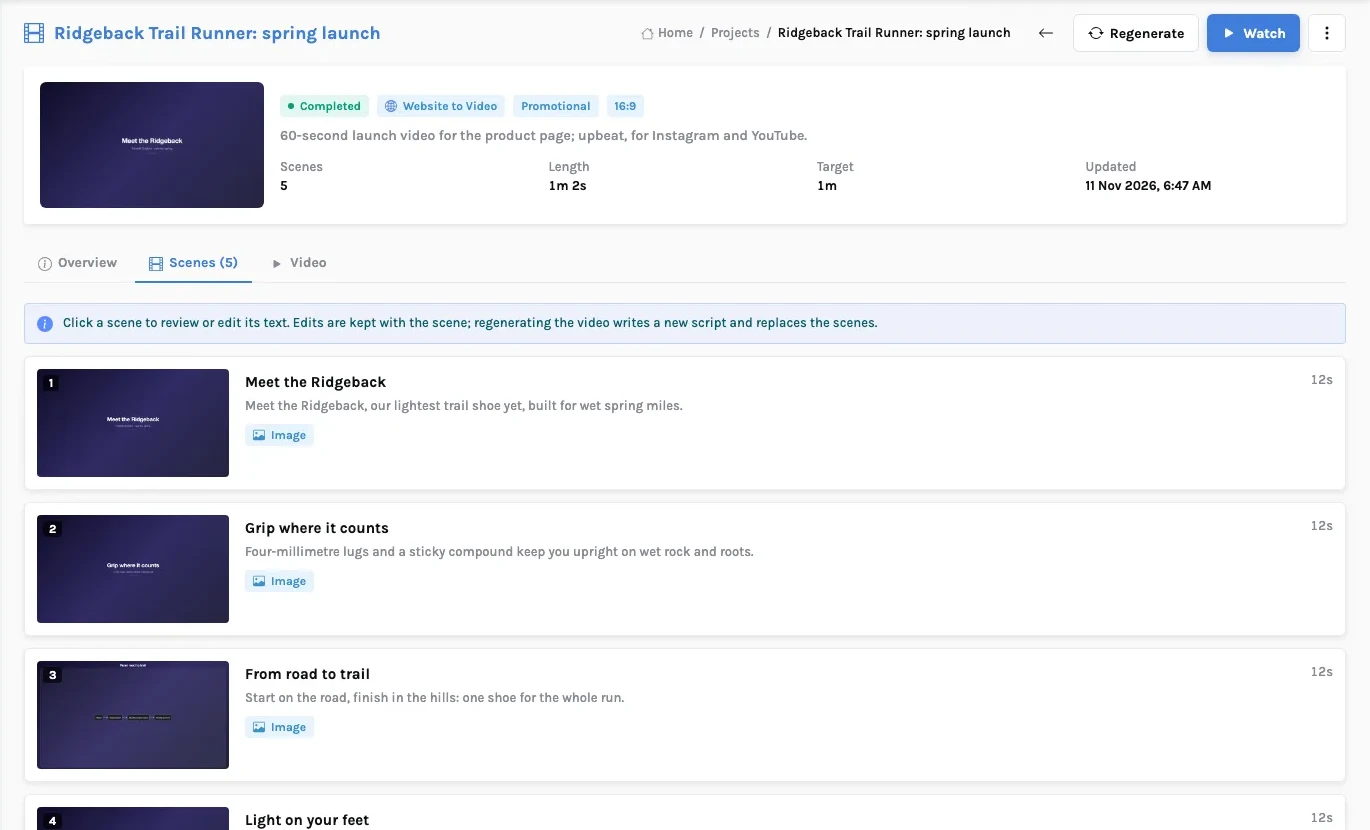
AI agents do the reading, writing, drawing and narrating. You stay in charge of every scene.
Provide your content
Enter a website URL, upload a presentation or document, or write a description of the video you want.
AI extracts and plans
The agents extract the content, plan the scenes, write the script and describe the visual for each scene.
Generate the video
AI generates images and narration, then adds Ken Burns motion, transitions, title cards and subtitles.
Review and publish
Preview the video, edit individual scenes, and publish directly to YouTube or download the MP4.
Start from what you already have
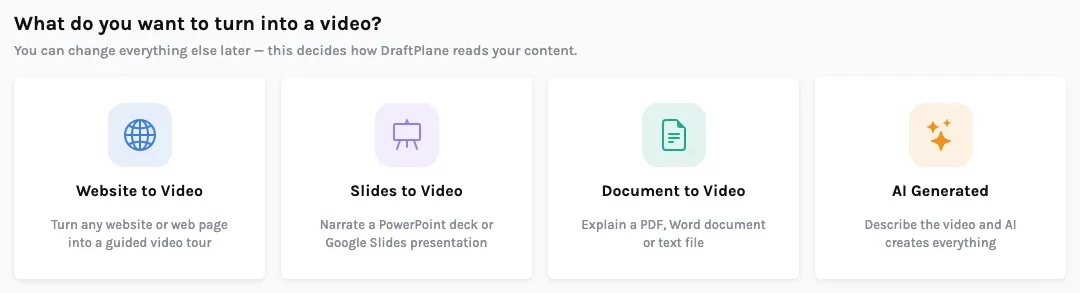
Pick the input type, and DraftPlane reads it the right way: a page is scraped, a deck is read slide by slide, a document is split into scenes, and a description is written from scratch.
Website to video
Enter any URL; DraftPlane scrapes the content, extracts the key information and generates a video with narration and visuals.
- Automatic content extraction with Trafilatura
- AI-powered scene planning from web content
- Suited to product pages and landing pages
Slides to video
Upload a PPTX file or link a Google Slides presentation. Each slide becomes a scene with AI-enhanced narration.
- PPTX and Google Slides
- Speaker notes become the narration script
- AI adapts slide content for video
Document to video
Turn PDFs and Word documents into videos. AI chunks the content into scenes and generates the visuals.
- PDF extraction with PyMuPDF and PyPDF2
- DOCX support with python-docx
- Content chunked into scenes
Description to video
Describe the video you want. AI writes the full script, images and narration and produces the finished video.
- Full AI content generation from a prompt
- Style-aware scene planning
- Suited to promotional and explainer videos
Edit the script before anyone sees it
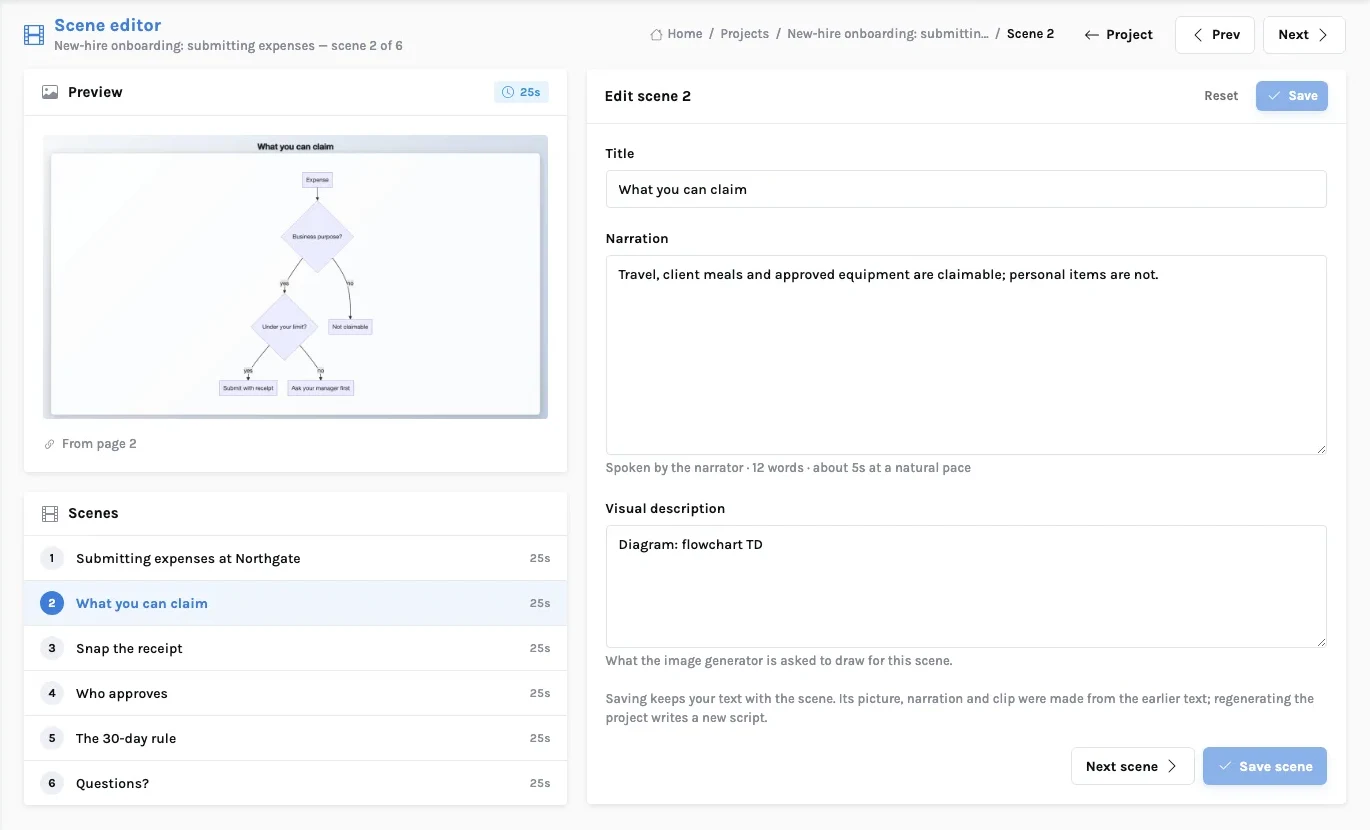
Every project opens as a list of scenes. Change a scene's title, narration or visual description, see how long the narrator will take to say it, and step through the scenes in order.
- Narration word count and spoken length per scene
- The visual description the image generator works from
- Regenerate the whole video when the script is right
Every step, live
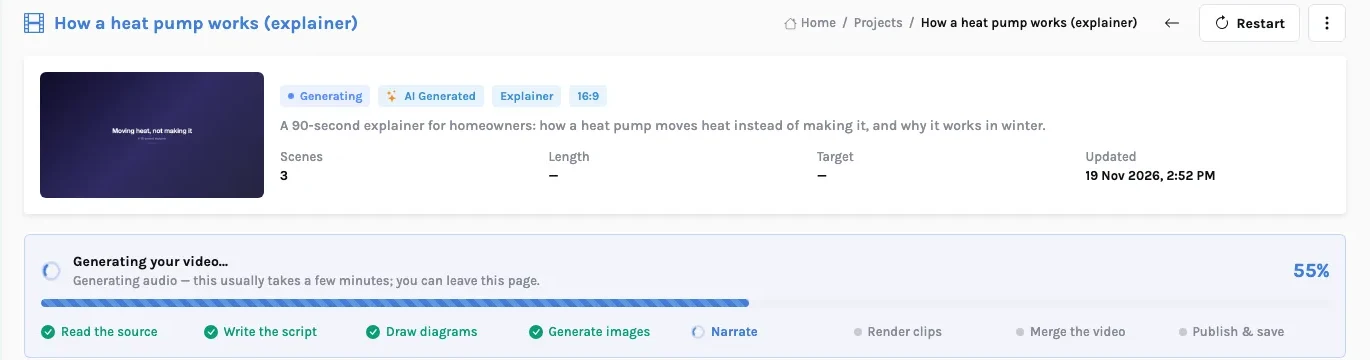
While a project generates, its page shows a progress bar, the step it is on and a live activity log: read the source, write the script, draw diagrams, generate images, narrate, render clips, merge the video, publish and save.
Configurable providers, styles and effects
Everything a finished video needs, from the script to the subtitles.
Configurable LLMs
OpenAI GPT-4o, Claude Sonnet and Opus, or Perplexity for content generation.
AI image generation
DALL-E 3, Google Imagen, Flux or Replicate for scene visuals.
Text-to-speech
ElevenLabs, OpenAI TTS or Google Cloud TTS for natural narration.
5 video styles
Promotional, podcast, tutorial, explainer and slideshow presets.
Ken Burns effects
Zoom, pan and motion on still images for dynamic visuals.
Subtitles and titles
Auto-generated SRT subtitles, title cards, chapter markers and outro screens.
Scene transitions
Crossfade, fade-to-black, slide and cut transitions between scenes.
YouTube publishing
Direct upload to YouTube with OAuth2 sign-in and metadata management.
Videos for every use case
Teams create professional videos without video-editing skills.
Product marketing
Turn product pages and landing pages into promotional videos.
- Any product website into a video ad
- Fast-paced hook-to-CTA flow
- AI visuals matched to your brand tone
- Direct YouTube publishing
YouTube podcasts
Create visual podcast episodes from scripts or blog content.
- Conversational style, longer scenes
- Narration with ElevenLabs or OpenAI TTS
- Chapter markers and topic transitions
- Background music
Training and tutorials
Turn training documents and guides into instructional videos.
- PDFs, Word documents or decks
- Step-by-step style, clear narration
- Auto-generated subtitles
- Numbered scene progression
Explainer videos
Describe a concept and let AI create a polished explainer.
- Problem-to-solution narrative
- Flat-design visuals with analogies
- Outro with a call to action
- 16:9, 9:16 and 1:1 aspect ratios
Choose the provider for each task
Mix and match across language models, image generation and speech, per project. Save your own defaults in Settings, or keep the built-in ones.
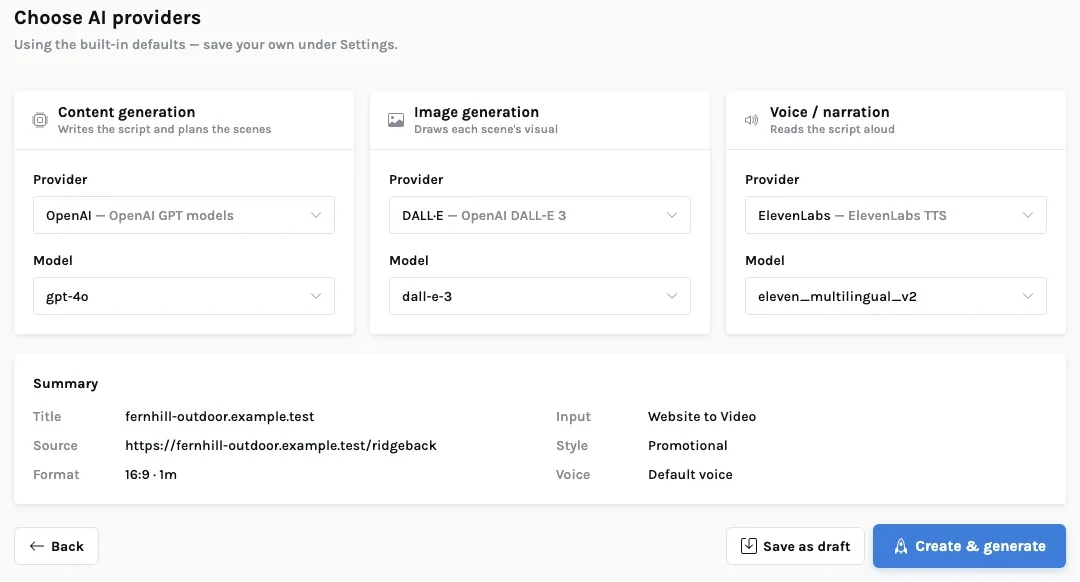
Content generation (LLM)
- OpenAIGPT-4o and GPT-4 Turbo
- Anthropic ClaudeSonnet and Opus
- PerplexityResearch-backed content
Image generation
- DALL-E 3Versatile imagery
- Google ImagenPhotorealism
- Flux and ReplicateSpeed and open-source models, with style-aware prompting
Voice and narration (TTS)
- ElevenLabsPremium voices and voice cloning
- OpenAI TTSNatural voices
- Google Cloud TTSMultilingual voices
Ready to create videos from your content?
Join teams using DraftPlane to turn websites, documents and ideas into professional videos in minutes. Send us one you'd like to try.
4 input types · 5 video styles · 10+ AI providers · YouTube publishing